


Certain retirement providers may send a combined feedback file for UKG companies that have multiple EINs tied to a single Company Short Code. Before you configure your client, please check with the provider to verify if this is applicable to your client's plan. Not all providers send a combined file, or provide a unique identifier to differentiate an employee's Location/Division. If the provider sends a unique identifier, detamoov will map this to the Company Organization Code field in our Standard Deduction Feedback format. This format is used to convert the provider's feedback file to the UKG Retirement 360 format.
If a retirement provider sends a location/division or some other identifier in the feedback file, detamoov will map this value to the Company Organization Code in our Standard Deduction Feedback format. This value can then be mapped to the UKG EIN Tax Id or EIN Name field for the Company Short Name you are configuring.
For example, Company Short Name 'ABCCO' has three separate EINs as shown in the table below:
| Location/Division | Company EIN |
|---|---|
| ABCCO1 | 11-3456001 |
| ABCCO2 | 11-3456002 |
| ABCCO3 | 11-3456003 |
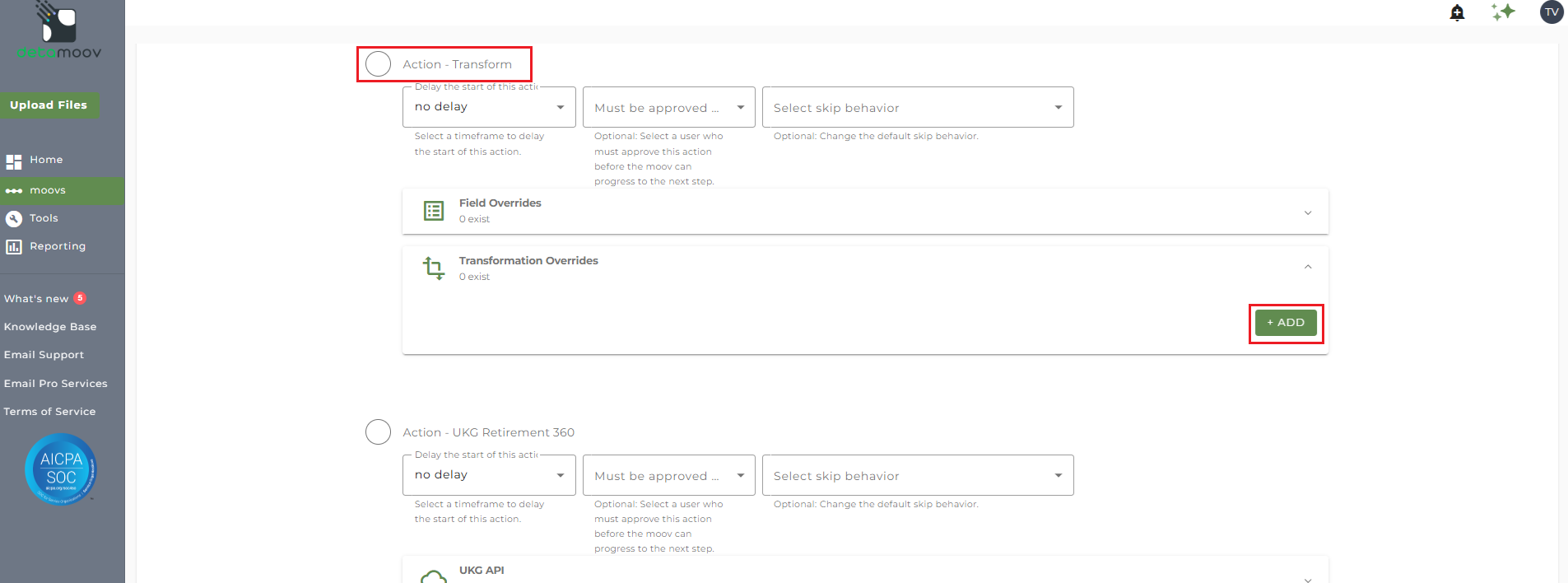
To create a transformation override, locate the Transform step before the UKG Retirement 360 step, expand the Transformation Overrides panel and click ADD.
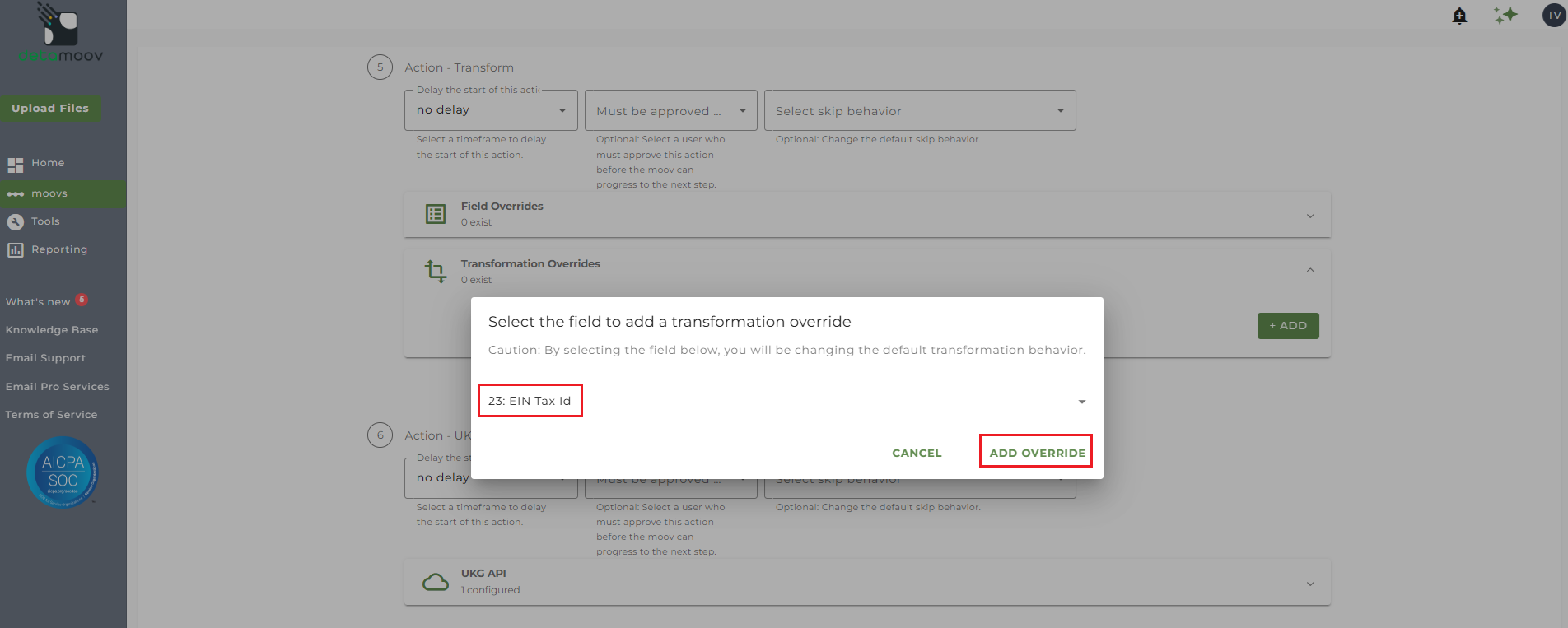
Then either select field 23: EIN Tax Id or 24: EIN Name, depending on how you want to map to UKG. For the example above, we will select field 23: EIN Tax Id and click ADD OVERRIDE.
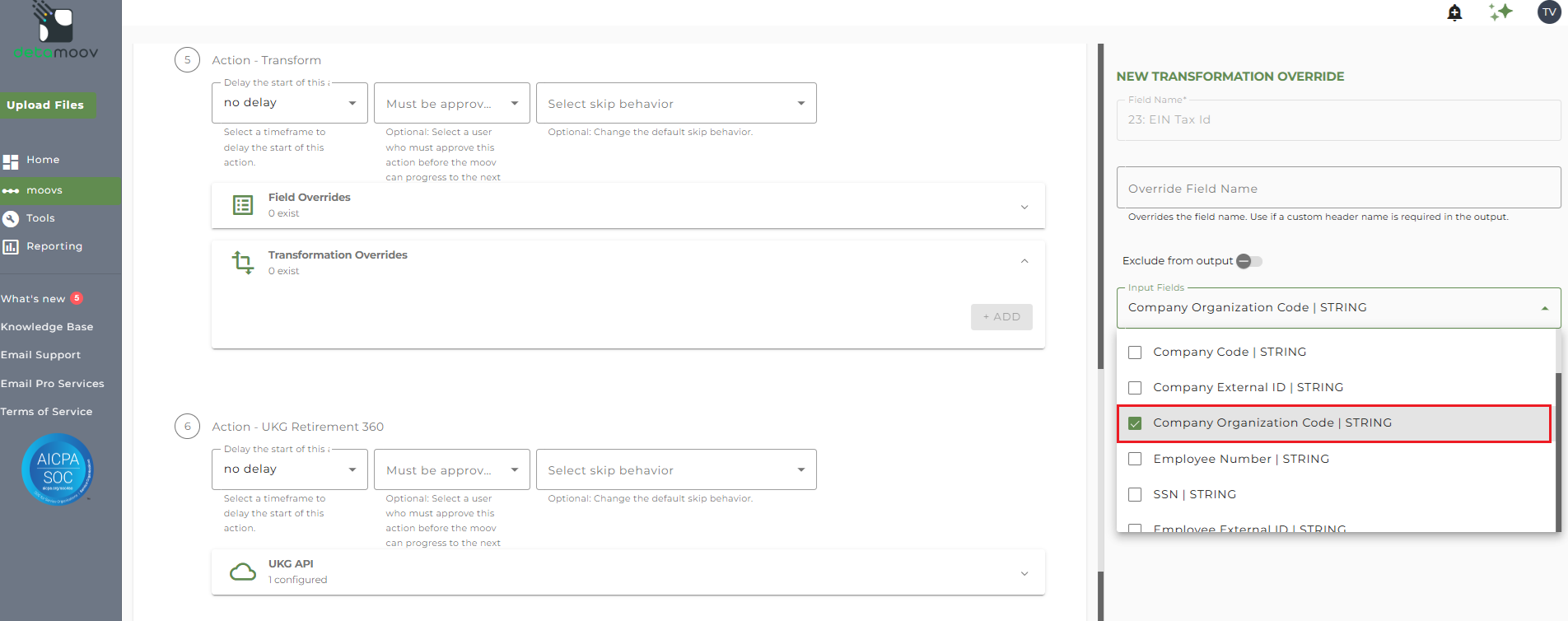
Select Company Organization Code from the Input Fields dropdown.
Click ADD Rule and select the 'Replace/Remove exact value using a list' rule.
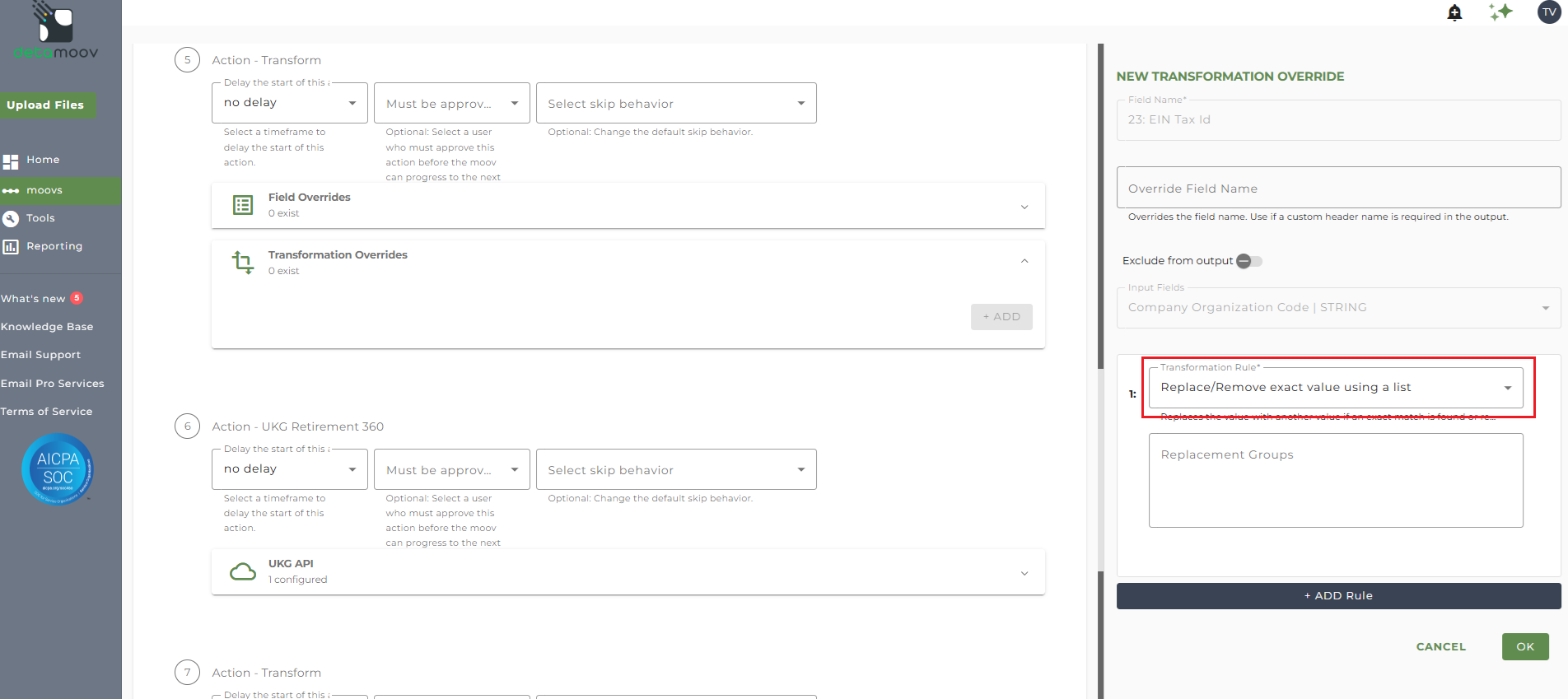
In the Replacement Groups field, enter in a replacement group for each Location/Division-to-EIN mapping. The value in the Company Organization Code and the UKG EIN value to replace it with needs to be separated by a pipe-character.
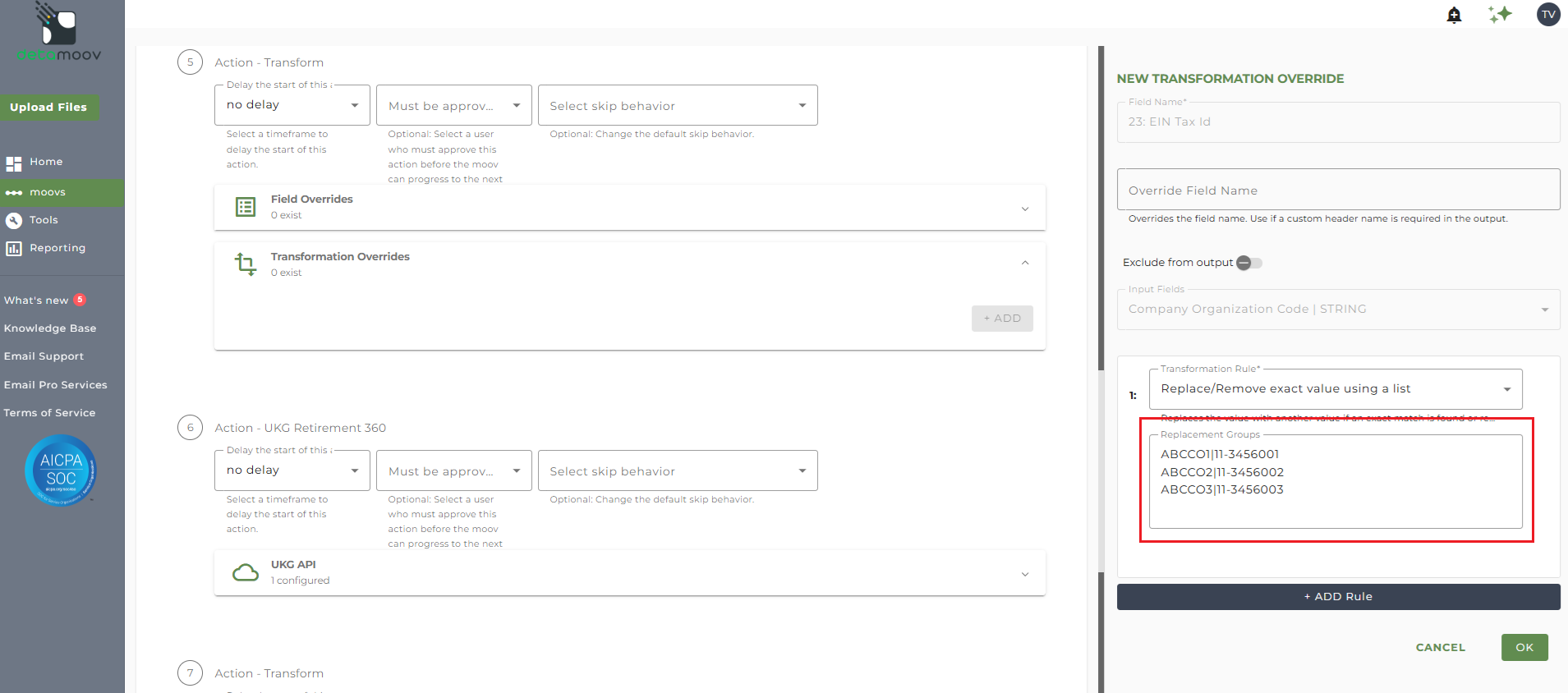
Click OK to complete the transformation override to continue configuring your client.

