


I am trying to adopt an isolved Retirement to Payroll moov, but none are showing
Error: The pay item is not a valid pay item for this client
Error: Unable to determine for which legal to create employee loan
Warning: No Benefit Plan Found
Employee has an existing deduction that was zeroed out when updating a different deduction.
I am trying to adopt an isolved Retirement to Payroll moov, but none are showing
To proceed in configuring the isolved moov, you will need the isolved API premier service enabled on your detamoov account. In isolved you will need to have the detamoov API enabled. If not currently enabled, please contact isolved support to enable the detamoov API for you within your isolved environment. Once complete, isolved support will send your API credentials to detamoov for us to add these into your detamoov account.
Once the API credentials have been added to your detamoov account, you will need to give the client access to the detamoov API user. Please see Configuring client access to the detamoov API user article.
The Pay Item must have declining balances enabled as the Provider sends a Goal Amount in the feedback data. To correct this error, you will need to either enable declining balances for the Pay Item in isolved, or provide a transformation override on the moov configuration to remove the mapping for the Balance field.
To remove the mapping for the Balance, see the corresponding How to configure a moov - Retirement to isolved article for the provider you are configuring.
The isolved API parameters were not configured correctly. Please edit the moov configuration for your client and access Step 2: Presets to ensure the required values are entered and that they are correct.

For more information, see the isolved API Presets section of the corresponding How to configure a moov - Retirement to isolved article for the provider you are configuring.
This error can be generated if:
- The SSN provided is invalid or missing
- The employee is Inactive in isolved
- The employee is terminated in isolved
Error: The pay item is not a valid pay item for this client
The Pay Items are either not provided or they are invalid on the Preset step, or the Transformation Override is missing or invalid.
First, edit the client configuration and check the Step 2: Presets to ensure the Pay Items have been entered and that they are valid for this client.
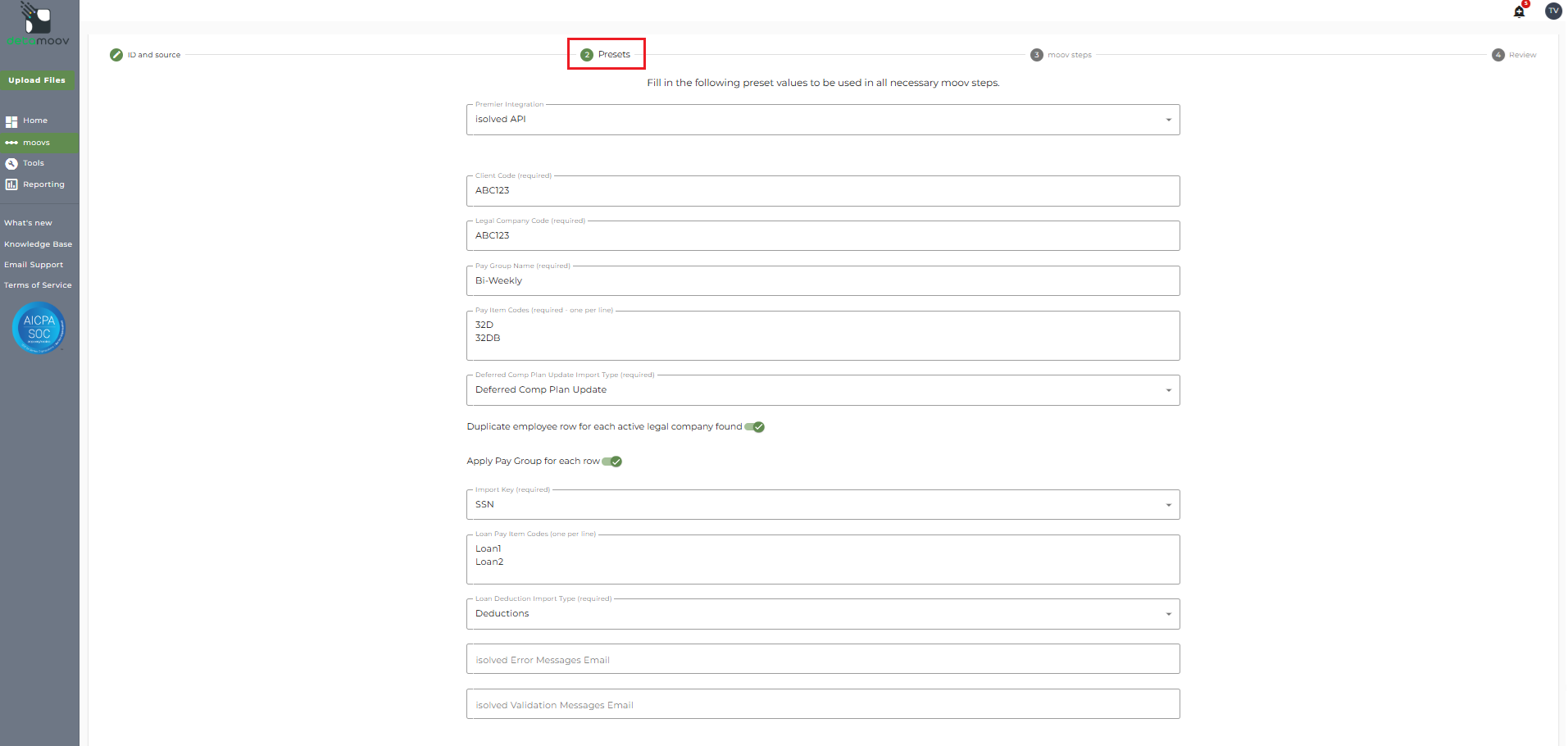
detamoov uses the value in the Code field as shown below:
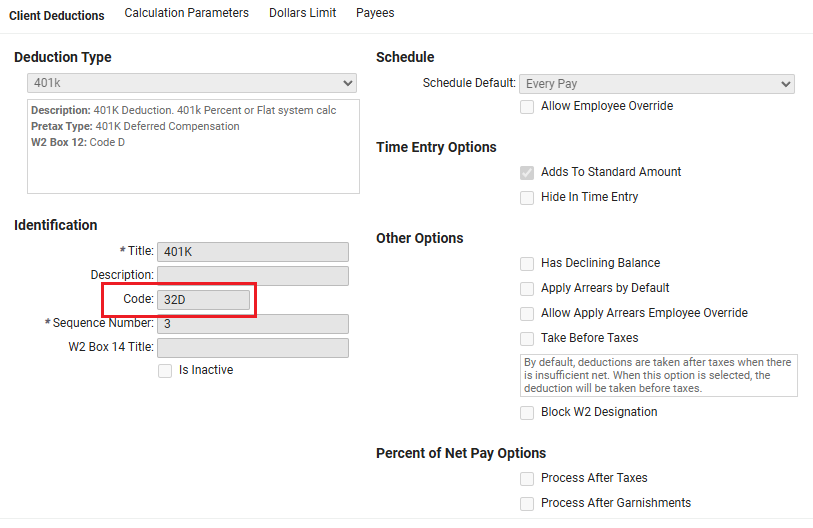
Next, check the Transformation override values to ensure they start with a "D". This is an isolved API requirement when importing Pay Items. For more information, see the corresponding How to configure a moov - Retirement to isolved article for the provider you are configuring.
Error: Unable to determine for which legal to create employee loan
This error occurs when creating a new loan for an employee that appears in multiple legal companies. detamoov does not know for which legal company the loan should be created and these types of loans cannot be imported to isolved.
Warning: No Benefit Plan Found
The Benefit Plan Transformation Override was either not provided, or is invalid. The isolved API will allow a record to be imported if there is no Benefit Plan specified. If no Benefit Plan is specified on the record, isolved will not make changes to the employee's Deferred Comp Plan Benefit. For more information, see the corresponding How to configure a moov - Retirement to isolved article for the provider you are configuring.
An employee has an existing deduction that was zeroed out when updating a different deduction.
The Pay Items are either not provided or they are invalid on the Preset step, or the Transformation Override is missing or invalid.
First, edit the client configuration and check the Step 2: Presets to ensure the Pay Items have been entered and that they are valid for this client.
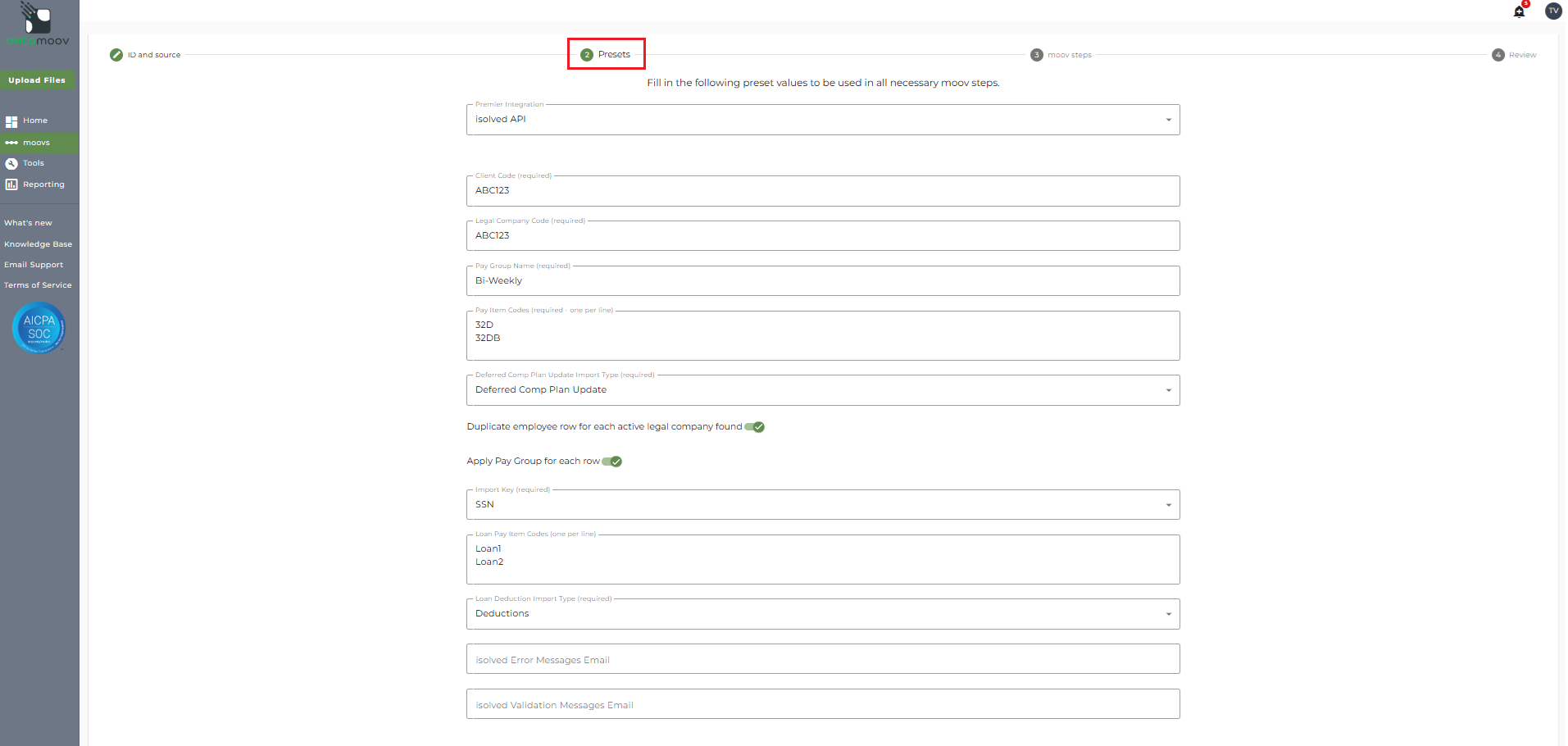
detamoov uses the value in the Code field as shown below:
Next, check the Transformation override values to ensure they start with a "D". This is an isolved API requirement when importing Pay Items. For more information, see the corresponding How to configure a moov - Retirement to isolved article for the provider you are configuring.

