


Employee entity type configuration
If you wish to relate the Reference Name, or NAME field in an .IIF file, to an Employee in QBO, locate the Action - QBO Import step and toggle the 'use default parameters' off. Then select the Employee option from the 'QBO entity type related to Reference Names' dropdown menu.
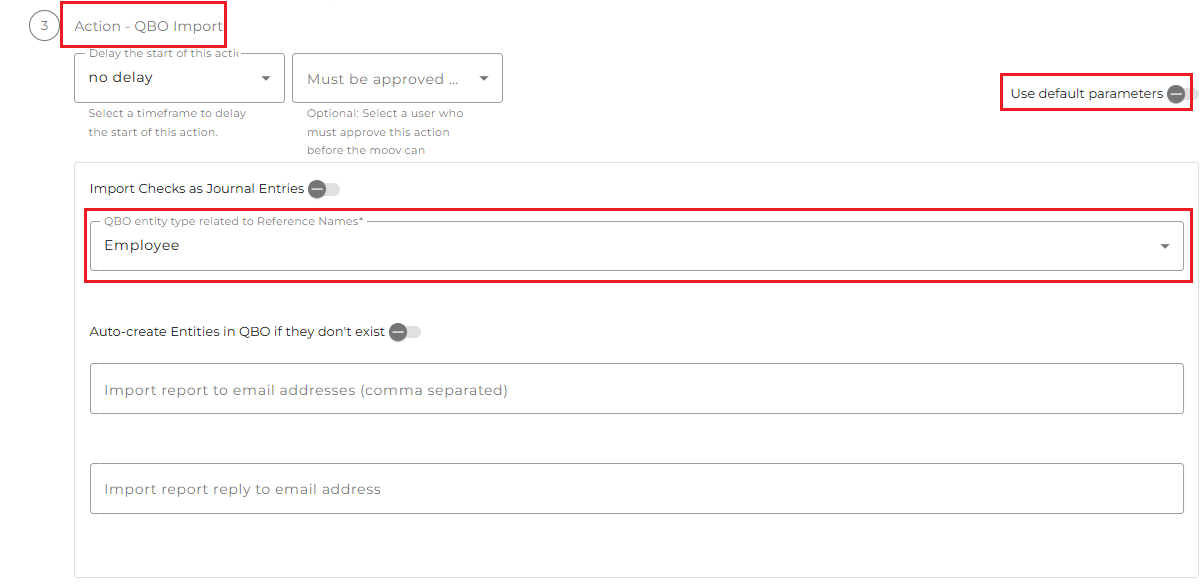
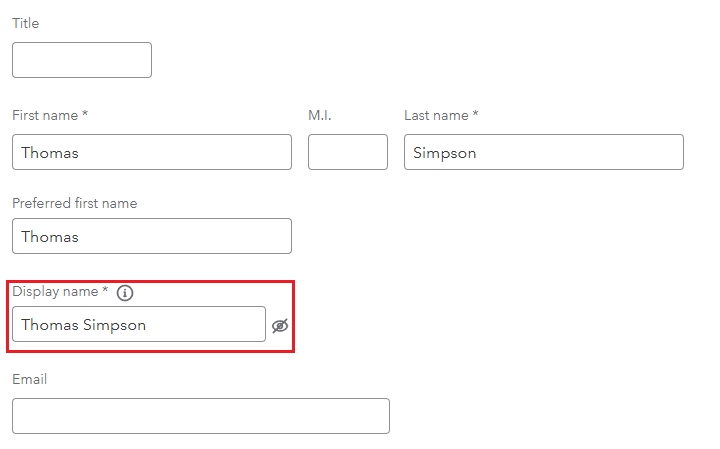
The value in the Reference Name field being sent to QBO needs to match the Display Name field of the QBO Employee exactly for the import to be successful. If no match is found, an error message will be generated stating that the employee does not exist in the QBO list.
Example of the NAME file of an IIF file. This field is mapped to the Reference Name field sent to QBO:

The Display Name field for the employee in QBO:
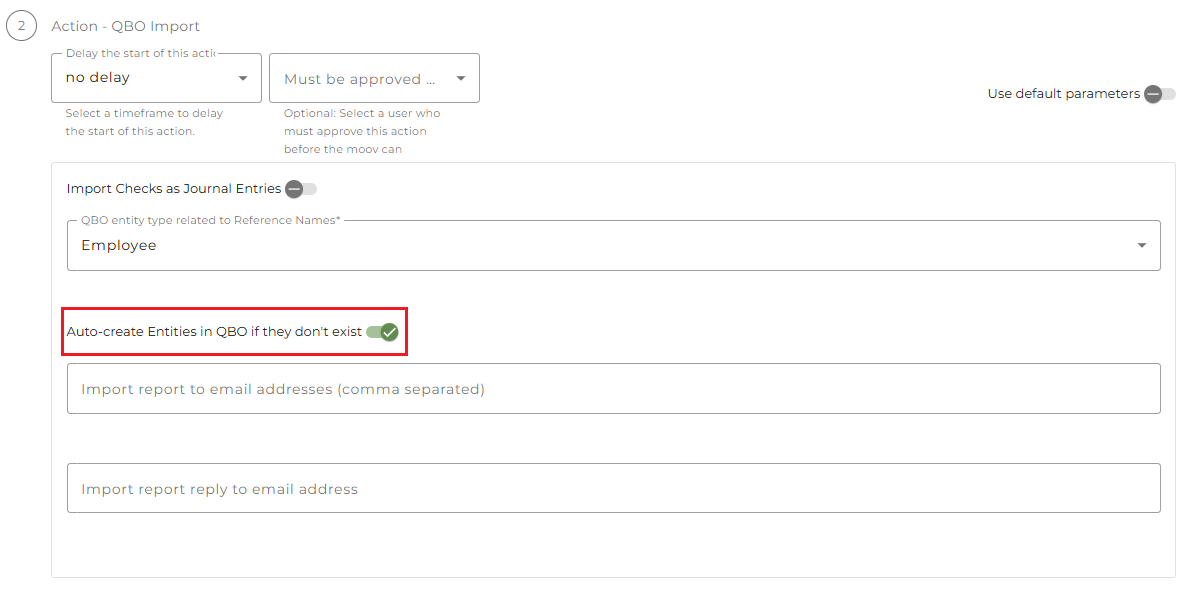
Create Employee entities in QBO
Optionally, you can ask detamoov to create Employee entities in QBO if they do not already exist. To enable this option, toggle the 'Auto-create Entities in QBO if they don't exist' option ON.
NOTE: If the Display Name of the Employee in QBO does not exist, a new Employee will be created if this option is enabled.
Employee names in the NAME field are commonly sent using the following naming pattern:
- First Last
- Last, First
If a NAME value is received as First Last, the Display Name in QBO will be set as "First Last".
If a NAME value is received as Last, First, the Display Name in QBO will be set as "Last, First"
If a NAME value is not in either of these patterns (Example: First Middle Last), detamoov cannot split the name appropriately. If a NAME value is First Middle Last, the Display Name will be set as "First Middle Last", but the Employee First Name will be "First" and the Employee Last Name will be "Middle".

