Viewing/Dowloading Invoice History

Dec 04, 2025
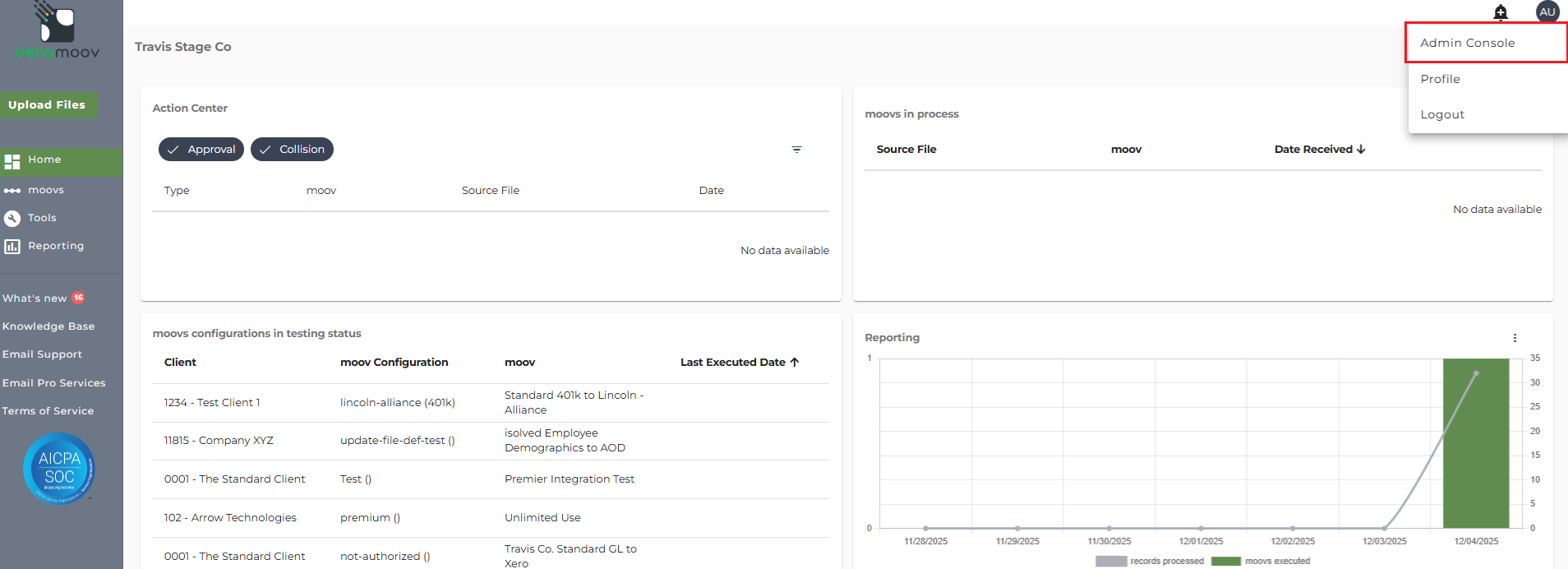
To view and download your invoice history, access the Admin Console by clicking on your initials in the upper right.
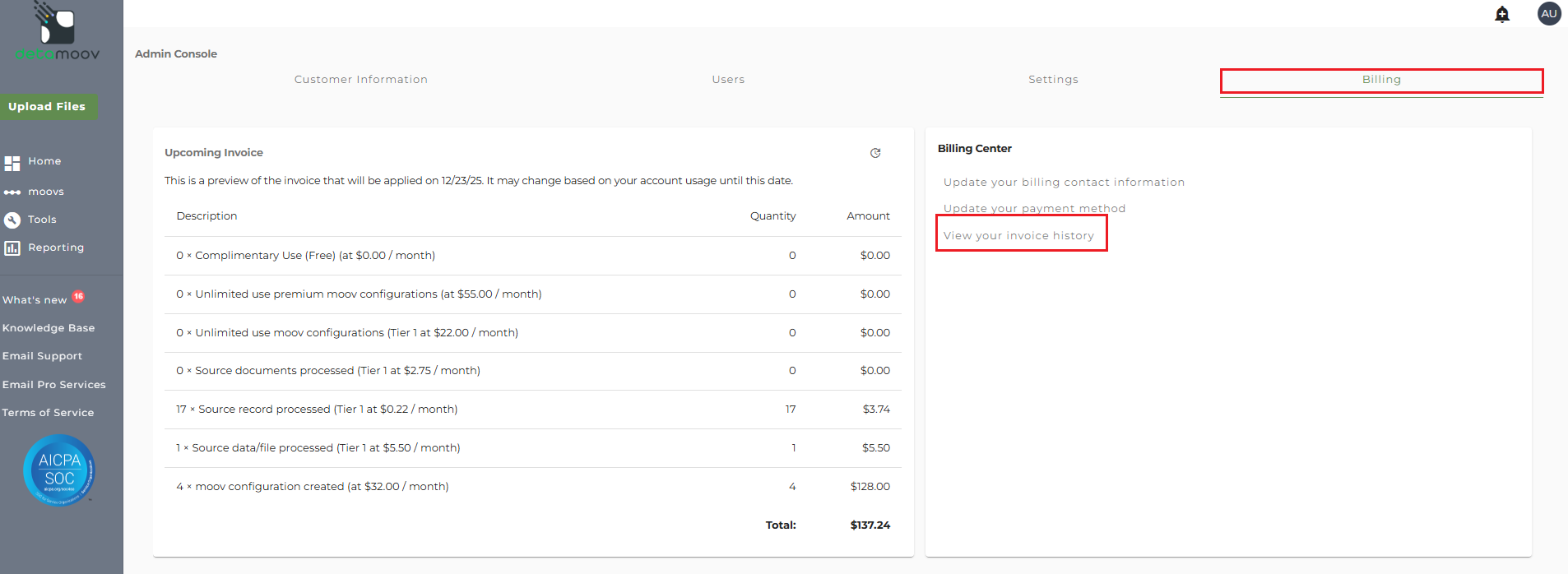
Then click on the Billing Tab and click the 'View your invoice history' option under Billing Center.
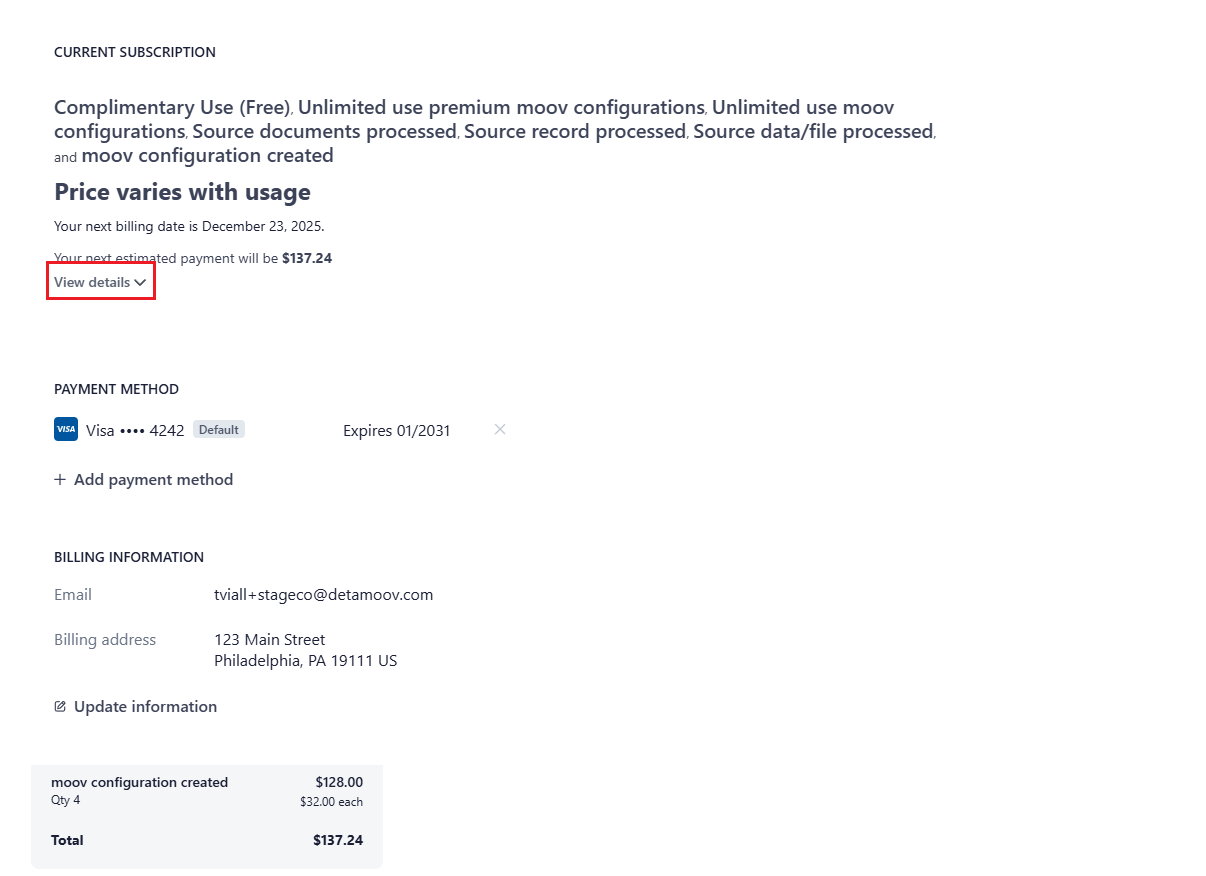
If you would like to view your current usage on detamoov, click on the 'View Details' link under your next estimated payment amount.
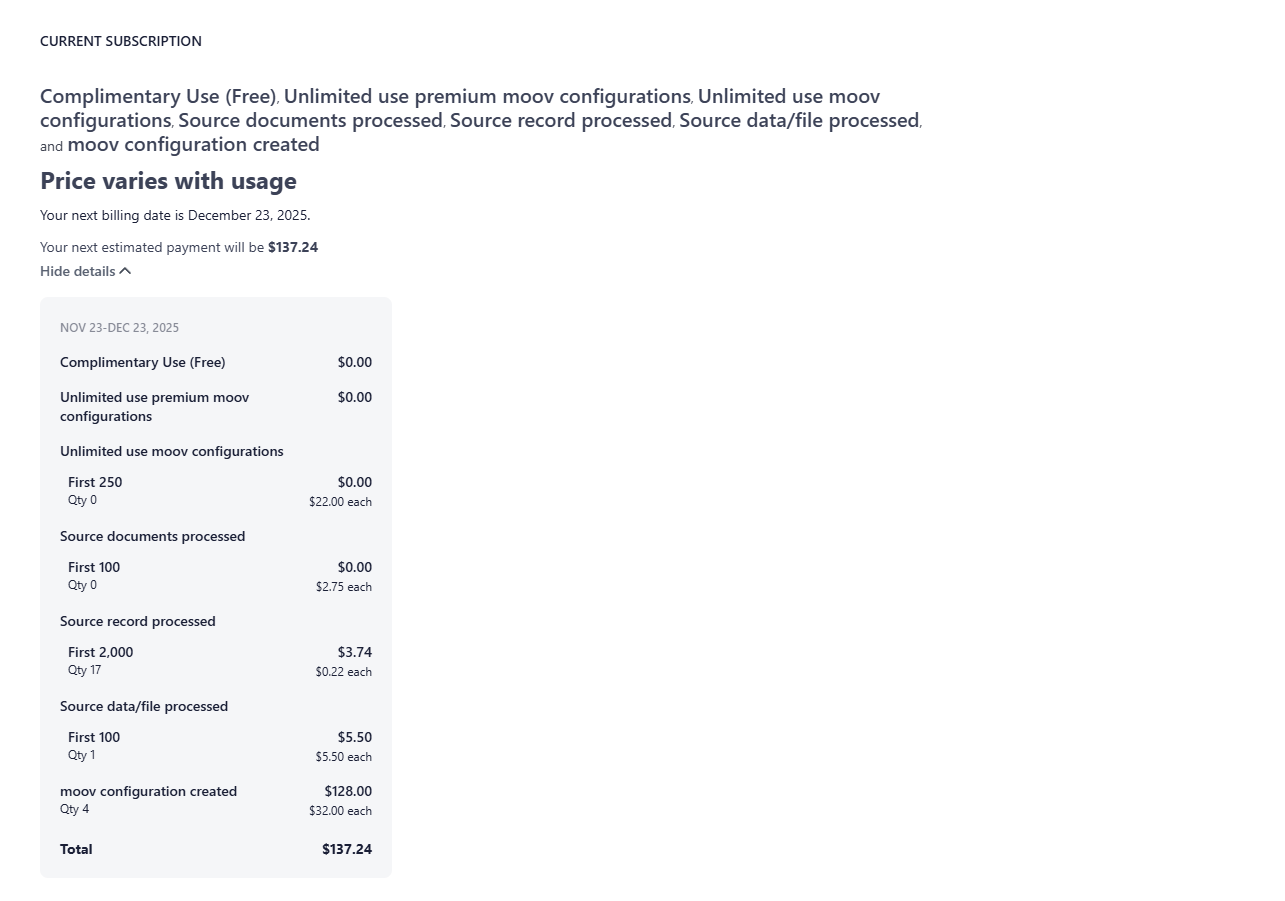
Viewing and Downloading Invoice History
To view past invoices, scroll down to the "Invoice History" section and click on an invoice.
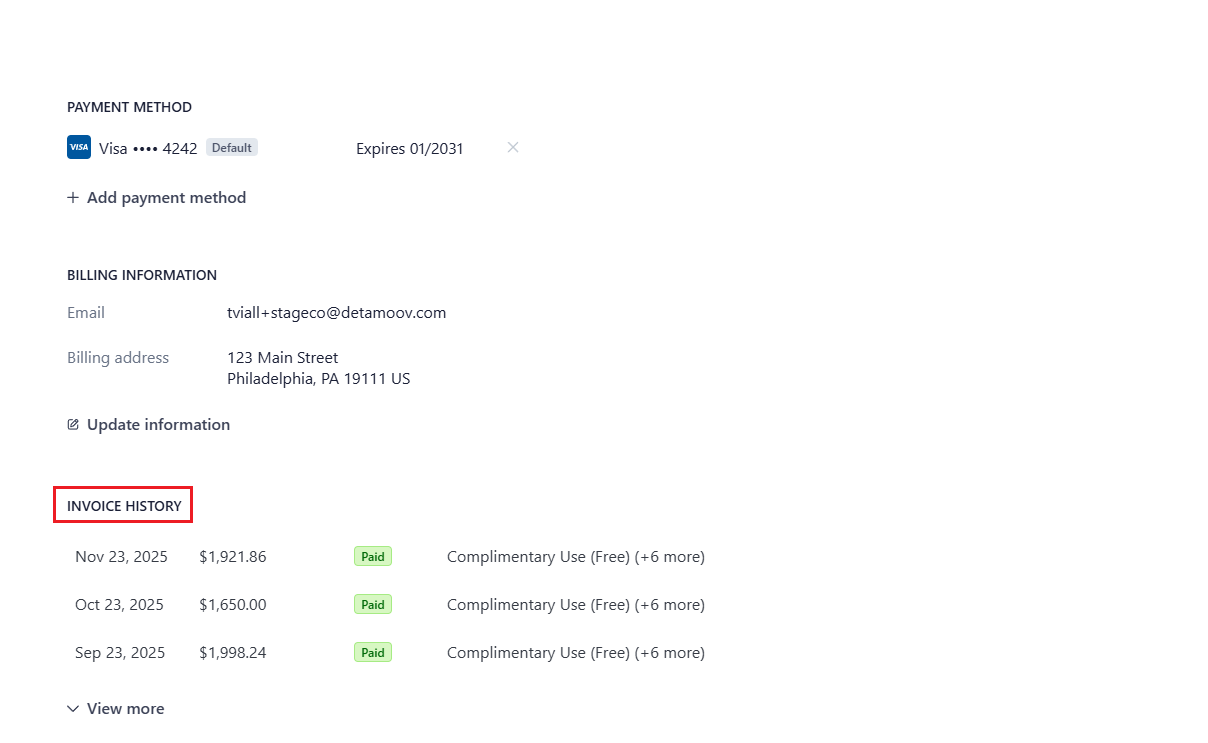
If you don't see an invoice for a specific billing period listed, click 'View more' to expand your invoice history.
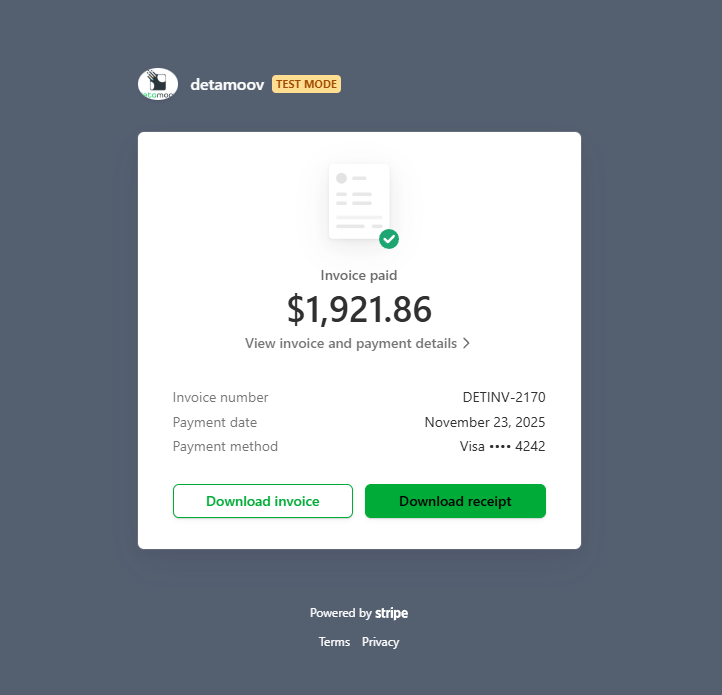
Once you click on a specific invoice a new page will appear with options to view invoice and payment details and download the invoice.