



Issue Summary
You may encounter the following error when attempting to transmit a file on the Deliver SFTP step:
Error: "Invalid Private Key File"
Root Cause
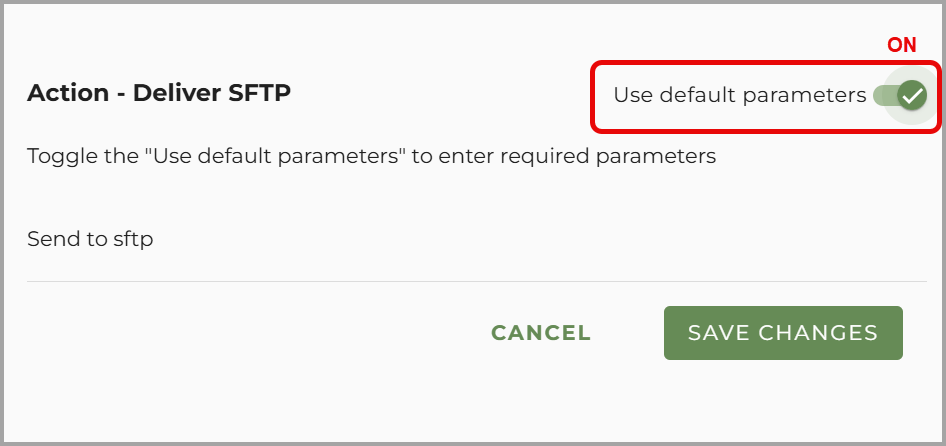
This error typically occurs when the "Use Default Parameters" setting is disabled. This setting allows the Deliver SFTP step to reference and utilize the globally configured SFTP credentials. If it is turned off, the system cannot locate the private key or credentials, resulting in this error.
Areas to Check
To resolve this issue, you must ensure that "Use Default Parameters" is enabled in two locations:
1. moov-Level Deliver SFTP Step
-
Open the affected moov.
-
Navigate to the Deliver SFTP step.
-
Click the gear icon
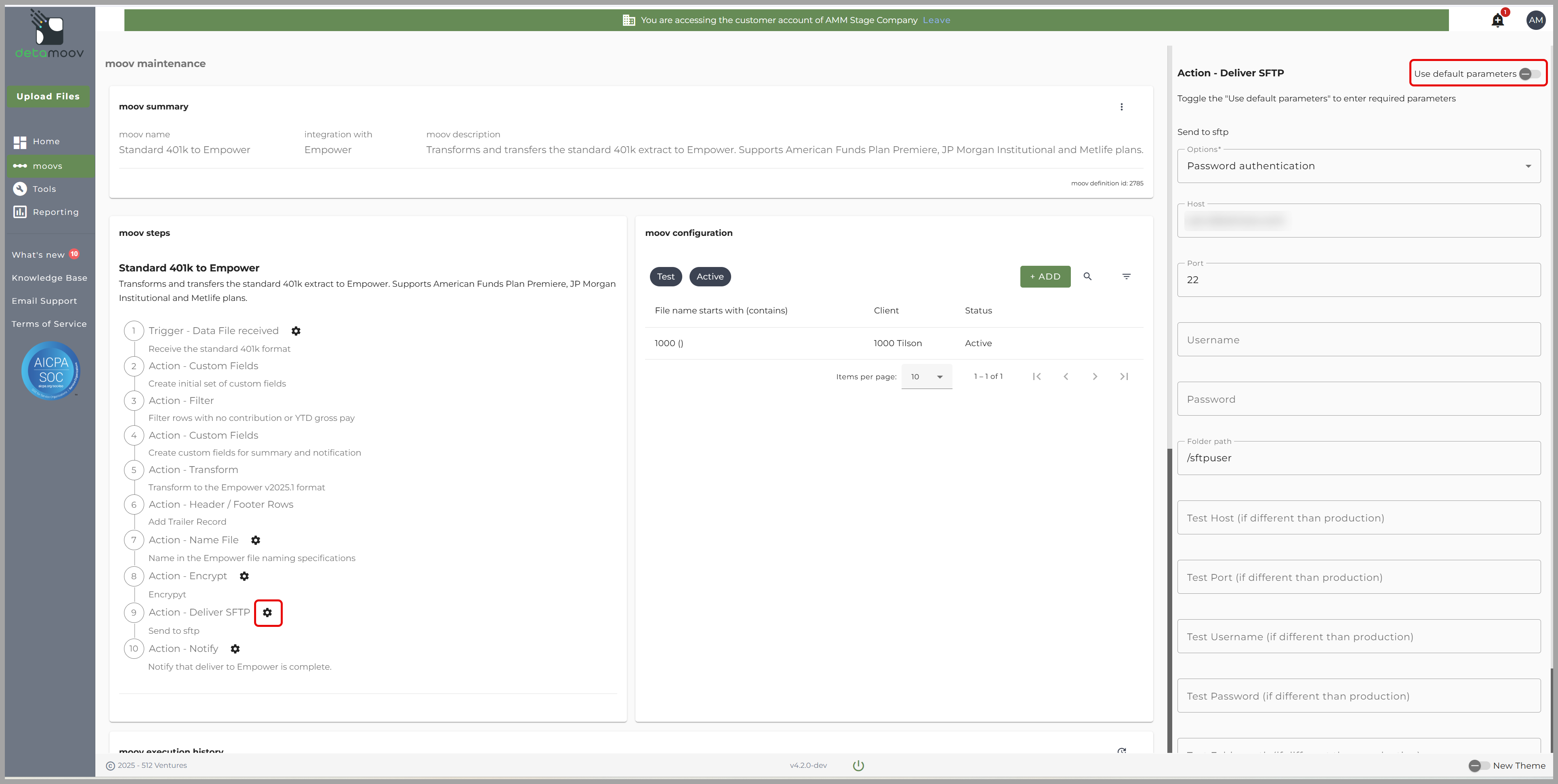
- Confirm that "Use Default Parameters" is toggled ON.
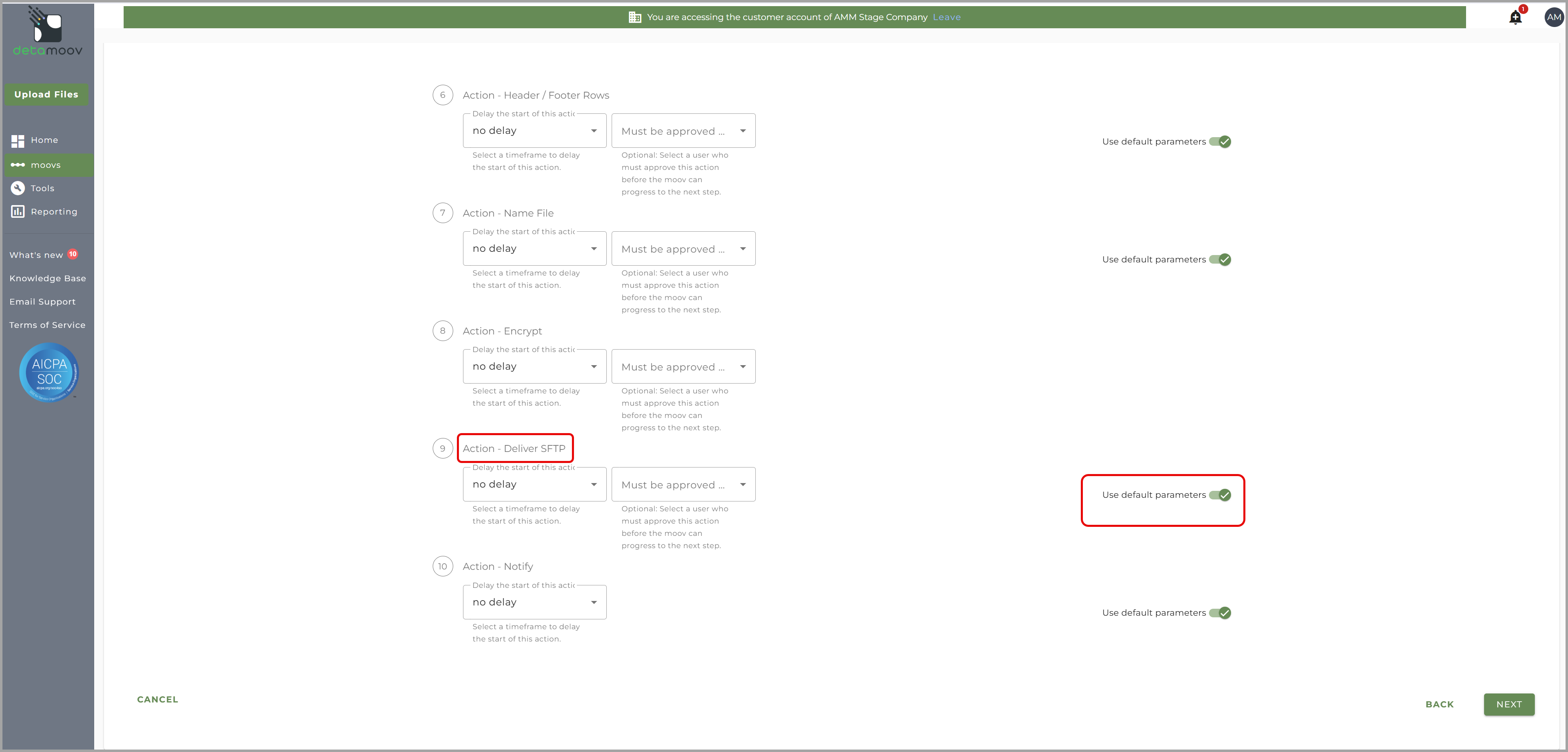
2. Client-Level Deliver SFTP Configuration
-
Select the Client associated with the moov.
-
Click Next to access the configuration steps.
-
Locate the Deliver SFTP step.
-
Ensure that "Use Default Parameters" is toggled ON here as well.
Resolution
Once the "Use Default Parameters" setting is re-enabled, the file will successfully transmit without encountering the private key error.
Need Help?
If you have any additional questions or require further clarification on this configuration, please contact our support team at 📬 [email protected].

