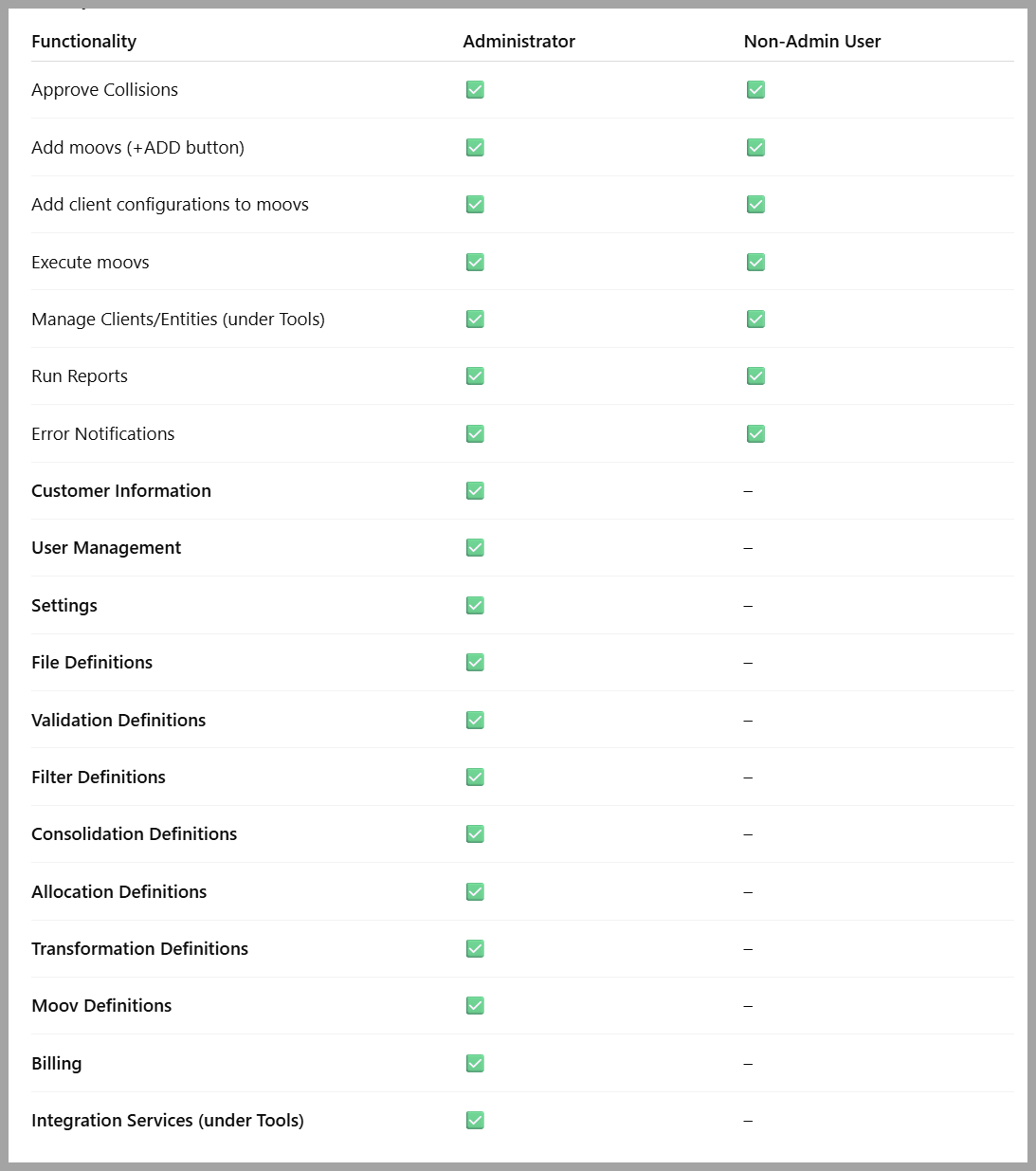
Administrators in detamoov have access and permissions that allow them to oversee customer accounts, manage users, configure custom integrations, and access to billing. This guide explains the level of access and actions Administrators can perform compared to Non-Admin users.
Access to the Admin Console
The primary difference between an Administrator and a Non-Admin user is access to the Admin Console. Administrators can manage system-wide settings, customer accounts, users, billing, and advanced integration definitions, while Non-Admin users are limited to core operational tasks such as running moovs, resolving collisions, and managing client configurations.
Permissions Available to All Users
Both Administrators and Non-Admin users have access to the core features needed for daily integration management, including:
-
Resolve Collisions – Review and resolve file collisions before data is processed.
-
Add Moovs – Use the green +ADD button to create and configure new moovs.
-
Configure Moovs – Add client-specific configurations within each moov.
-
Execute Moovs – Run moovs manually to process files.
-
Manage Clients/Entities – Update client or entity information under the Tools menu.
-
Run Reports – Generate reports to review and monitor integration activity.
-
Error Notifications - Error emails are sent only to designated detamoov platform users, ensuring issues are handled promptly without involving non-platform clients.
Administrator Permissions - Admin Console
Administrators, in addition to the above, can access the Admin Console which is not available to Non-Admin users. These include:
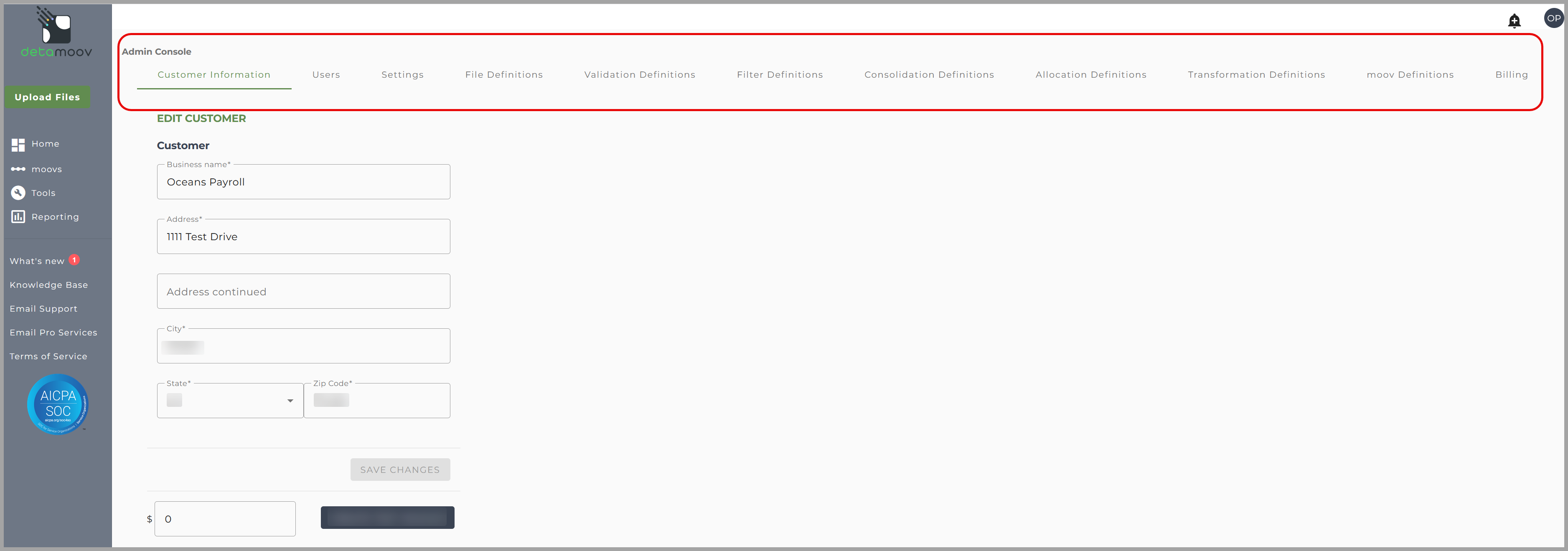
Customer & User Management
-
Customer Information – View and update your customer account record.
-
User Management – Add, edit, reset passwords or deactivate detamoov user account and set access levels.
Settings
- Security and Compliance – Configure policies to align with internal requirements and external regulatory standards, including controls for data retention and multi-factor authentication.
- Branding – Apply company branding for a consistent user experience.
- SFTP – Set up and manage SFTP accounts.
- File Sharing – Add and configure a Dropbox File Sharing account to enable secure file storage, sharing, and integration within detamoov.
- Email - Add and manage Authorized Email Addresses that are permitted to submit files for processing within detamoov. Only files sent from these designated addresses will be accepted to ensure security and controlled data intake.
moov Creation
-
File Definitions – Define layouts to match source and target system requirements.
-
Validation Definitions – Establish validation rules for incoming data.
-
Filter Definitions – Configure filters to exclude specific data.
-
Consolidation Definitions – Combine multiple records from a file that have matching criteria.
-
Allocation Definitions – Define rules for distributing values (such as tips) across different groups or roles using defined rules, either equally or weighted, based on fields in the source file.
-
Transformation Definitions – Create data transformation rules for output formatting.
-
moov Definitions – a set of defined steps that "moovs" data after it has been received. It leverages previously configured definitions, such as File Definitions, Validations, Filters, and Transformation, to ensure the data is validated, formatted, and delivered accurately to the target system.
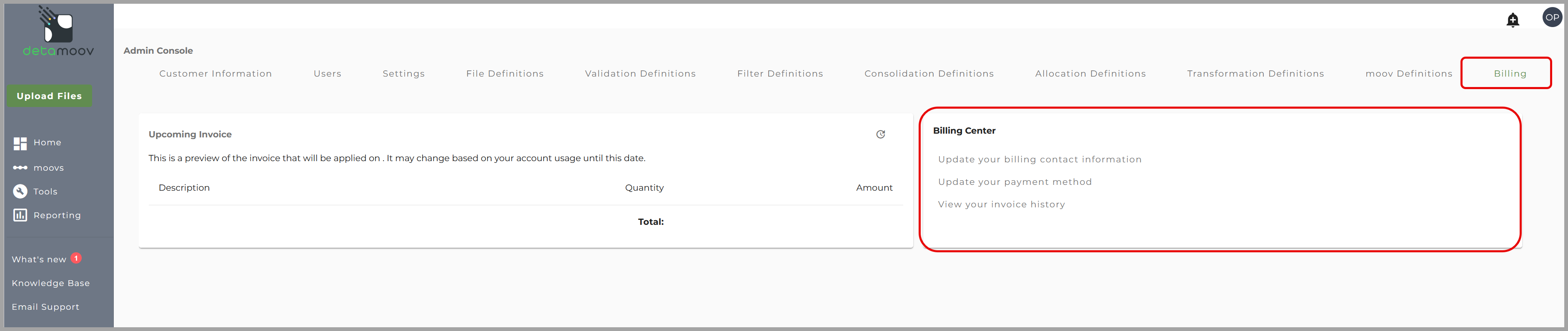
Billing Center
-
Billing – Access and manage billing contact information, payment method, and invoices.
Summary
-
Non-Admin users: Limited to daily operational tasks such as running moovs, adding client configurations, and approving collisions.
-
Administrators: Full system control, with access to the Admin Console, advanced configuration settings, billing, and the ability to create and manage custom moovs.
Permissions Matrix